Great for cookbooks
"I bought All My Books and so did a friend of mine. We are both in love with it. We are cookbook collectors and keep many "books" in our computers using Mastercook recipe software. We point All My Books at our various files, it then goes and looks online for a match...we add info if that's called for right there on the info grabbed window...and store...and the beauty of that is: the program allows us to also store a link back to the "book" and set it to open that book when we click on the little book icon that the program has."
b adams
Keep Track of the Books You Read

A reading log is the list of books you have finished — with the date and a short note, so the impression is still there a year later. Spreadsheets work until the list is long. All My Books for Windows is a catalog and a reading journal in the same file.
You can use it only as a diary. It is more useful as both: the books you own and the books you have read, including titles you borrowed and never bought.
Build the list
Install All My Books and add a book: Book → Add… (or the Add button). Type part of the title or the ISBN and press Enter. The program fills the card from an online book database — cover, description, pages, publisher. If several editions match, you pick one.

Mark a book as read
Each book card has an Unread flag. New books get it by default. When you finish a book, clear the flag. The program asks for the date read. Fill that field. Then use View → Group by → Date read to see a year-by-year (or month-by-month) journal.
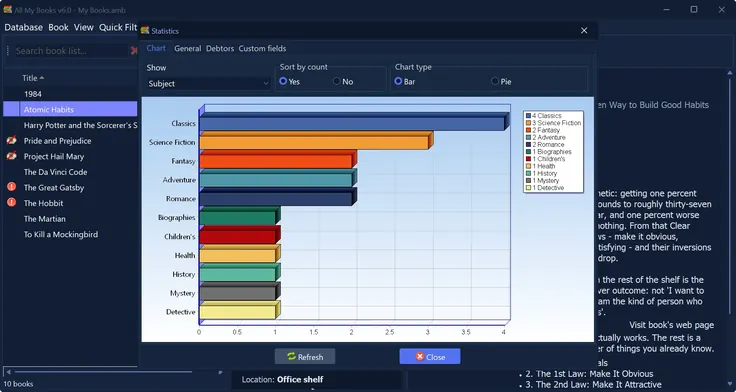
Put a few sentences in Comments while the book is still fresh. Later rereads often disagree with the first note — that is the point of keeping it.
Books you abandoned still belong on the list if you want an honest journal. There is no built-in “gave up” mark; add a custom checkbox or text field under Preferences → Custom fields (for example Did not finish) and filter on it.
A reading log for a child
School reading journals are easier as a separate database: Database → New. Switch files with Database → Recent databases…. Print the list (Book → Print collection…) or export a PDF (Tools → Export to → Export to PDF…) if the teacher wants paper.
Loans: who borrowed a book
The same catalog has a loan manager. When you lend a paper copy, record the person and the due date. Turn on the overdue reminder in Preferences if you want a nudge. Tools → Loan history (or F12 from the how-to) shows who still has what.
Home-library overview, including loans: home library organizer.
FAQ
Is this a reading log or loan-tracking software?
Both sit in All My Books. This page is the reading journal (unread flag, date read, notes). Loans are the short section above and on the home library organizer page.
Can I keep a reading log without cataloging every book I own?
Yes. Add only the titles you finish. The unread flag and date read still work.
Does it work for ebooks?
Yes. Paper, EPUB, PDF and audiobooks can share one list. How to scan ebook folders is on the organize ebooks page.
Start the log
Download the trial, add three books you finished this year, clear Unread, set the dates, and group by date read. If that list is nicer than a notes file, you have a reading log.
Russian version: читательский дневник. Paper-book walkthrough: how to catalog books.
What our customers say
Reading log on Windows: date read, notes, group by year. Same program tracks loans.
License Benefits:
- No 100-book limit
- Drive scan, Excel/CSV import and new databases after the first 30 days
- No reminder window, no trial banner
- Free updates and technical support
- The license key works instantly, no reinstall