Collection statistics
F5, or , opens a window with four tabs. Refresh recalculates everything after you have made changes.
Chart
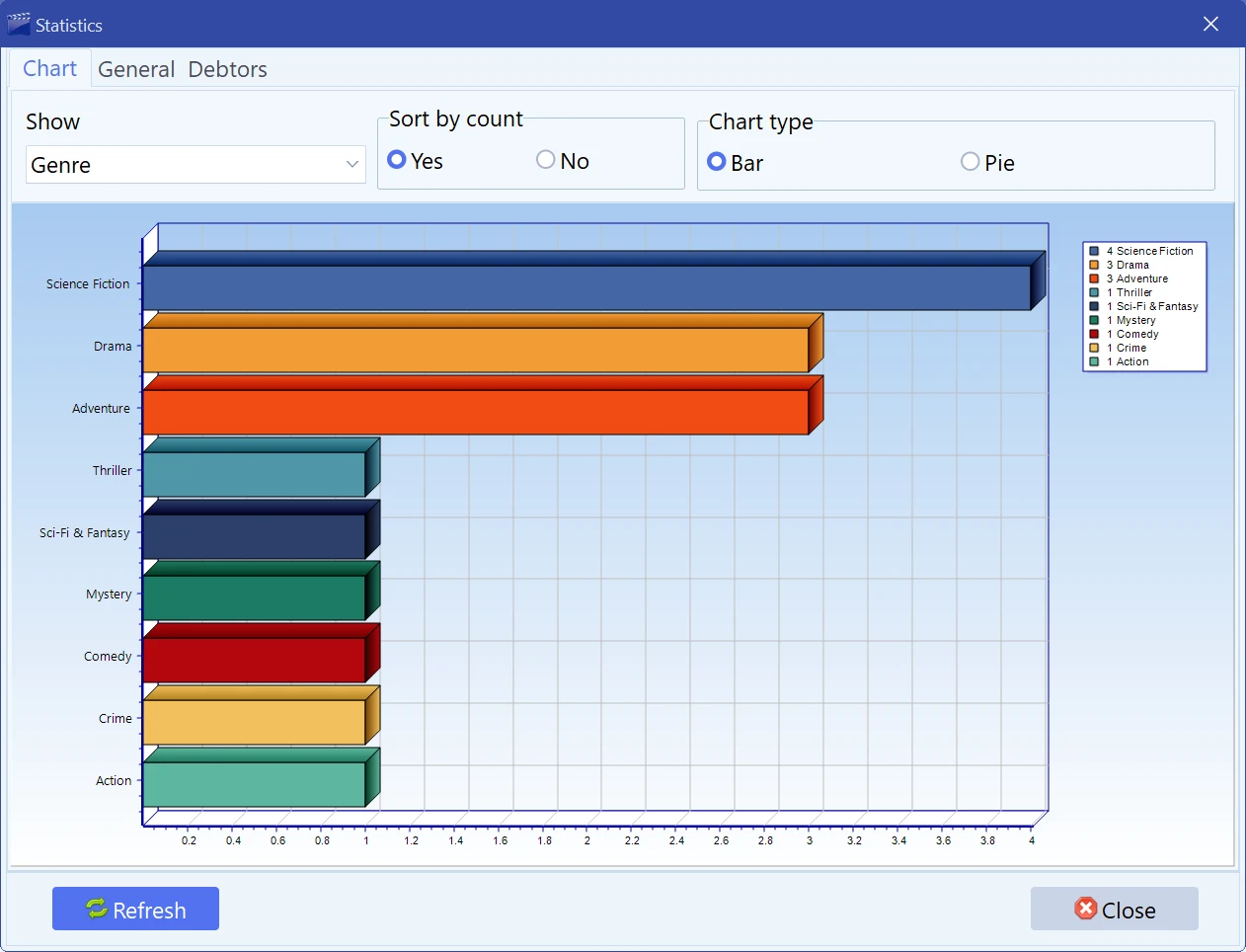
A bar or pie chart of the collection broken down by any one field — genre, year, country, media type, director and so on. Sort by count puts the biggest slice first instead of ordering by name. This is the fastest way to discover that two thirds of your shelf is one genre, or that you have nothing at all from the 1970s.
General
The numbers: how many movies there are, how many are lent out, and the breakdown by media type, genre, year and video codec. Total collection value adds up the Price field of every card — useful for insurance, and sobering otherwise.
Debtors
Who has your discs. The left list is the people, the right one is what each of them took. Double-click an entry to mark it returned without going back to the main window. The same information from the movie side is in Lending a movie, and the full record of who had what and when is in
Custom fields
The same kind of breakdown for the fields you invented yourself — if you added a “Format” or “Shelf” field, this is where you see how the collection distributes across it. Custom fields are set up in Preferences.
Statistics always work, in every mode, including free mode with a collection over the limit — see Trial, free mode and licence.
Free to try. Catalog up to 100 movies at no cost, forever.