Introduction
All My Movies is a cataloging program for Windows. One collection lives in one file and remembers, for every film you own, the things that otherwise have to live in your head: what it is called in the original, who directed it, which disc it is on and where that disc is, whether you have watched it, what you paid, and who borrowed it in March and never brought it back.
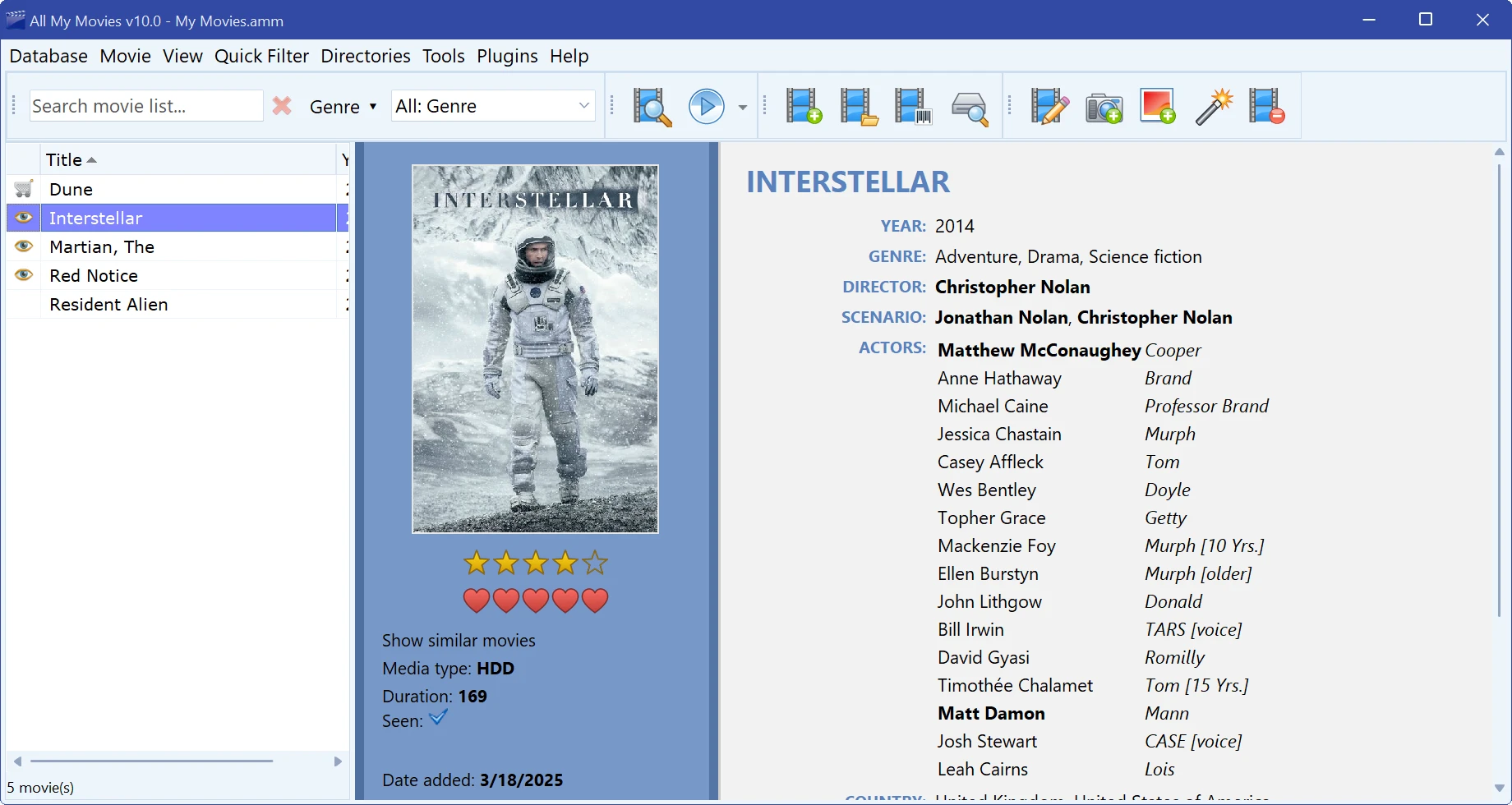
What you can catalog
| Discs | DVD and Blu-ray. Put the disc in the drive and the program reads its title and structure; or scan the barcode on the box and the disc is identified by number. See Adding a DVD or Blu-ray disc and Adding a disc by barcode. |
|---|---|
| Video files | Anything on your disks or NAS. Duration, resolution, aspect ratio, codecs, bitrate, audio tracks and subtitles are read from the file itself, and frames can be captured from it as screenshots. See Adding a movie from a video file and Scanning a drive for movies. |
| TV series | A series is one card with a tree of seasons and episodes; each episode has its own title, plot, air date, seen mark and video file. See TV series and episodes. |
| Films you do not own yet | The Wishlist mark turns a card into a “want to watch” entry, kept out of the main list with one click. |
Where the data comes from
Five online databases are built in — TheMovieDB.org, KinoPoisk.ru, TheTVDB.com, Moviemeter.nl and FilmWeb.pl — and plug-ins add more. One query fills in the title, original title, year, country, studio, genres, director, writers, cast with roles, plot, rating and poster. Person cards get biography and photos the same way. See Adding a movie automatically.
What you get out of it
- Four ways to look at the collection — title list, cover thumbnails, cover flow and a virtual shelf — plus the movie card itself in one of over twenty templates, or in a template of your own. See View modes.
- Search on any field, saved advanced filters, one-click quick filters (unseen, wishlist, lent out, overdue, series, duplicate titles, recently added), and grouping the list into a tree by almost any field, the folder on disk included.
- Playback in one double-click, playlists, batch renaming of the video files on disk, and copying selected movies to a player or a phone.
- Export to HTML, CHM, Excel, plain text, PDF and images; printing from sixteen report templates; and a free Android app that carries the collection in your pocket.
How this guide is organized
Quick Start is the five-minute version. Database tasks is about the collection file — creating it, importing into it, backing it up. Movie tasks is about the movies inside it. Directories covers the shared lists that many movies draw on. Preferences is appearance and behaviour, and Reference documents every menu command and keyboard shortcut.
The program is free to try for 30 days, and it never stops working afterwards — see Trial, free mode and licence.
Free to try. Catalog up to 100 movies at no cost, forever.