Great for cookbooks
"I bought All My Books and so did a friend of mine. We are both in love with it. We are cookbook collectors and keep many "books" in our computers using Mastercook recipe software. We point All My Books at our various files, it then goes and looks online for a match...we add info if that's called for right there on the info grabbed window...and store...and the beauty of that is: the program allows us to also store a link back to the "book" and set it to open that book when we click on the little book icon that the program has."
b adams
BookCAT Alternative for Windows

BookCAT by FNProgramvare was a popular book catalog for Windows, but like their movie product CATVids it has been discontinued and is no longer developed. If you still run BookCAT on an older PC, your collection is stuck on legacy software with no fixes for modern Windows and no online updates. All My Books is an actively maintained replacement for book collectors who want ISBN lookup, cover art, loan tracking and regular updates.
BookCAT vs All My Books at a glance
| Feature | BookCAT | All My Books |
|---|---|---|
| Active development & updates | Discontinued — dead product | Regular releases |
| Import existing BookCAT database | — | Database → Import collection from → BookCAT |
| Import via Excel / CSV export | Export from BookCAT, then import | Tools → Import from → MS Excel or plain text (CSV) |
| Online book lookup (ISBN, title) | Outdated / unavailable | Multiple online sources, cover art |
| Printed, ebook & audiobook catalog | Printed focus | All formats in one database |
| Loan / borrowed book tracking | Limited | Built-in loan manager |
| Export to HTML / PDF / Excel | Limited | Multiple formats |
| Virtual bookshelf view | No | Yes |
| Discount for switchers | — | 25% off for migrants |
How to import your BookCAT collection into All My Books
Option A — direct import (recommended if you still have the BookCAT database file):
- Install and start All My Books.
- Open Database → Import collection from → BookCAT... and select your BookCAT database file. BookCAT does not need to be installed.
- Wait until the conversion finishes.
Option B — via Excel or CSV (if you no longer have the database file or direct import fails):
- Export your BookCAT collection to MS Excel or CSV.
- In All My Books use Tools → Import from → Import from MS Excel...
- If column mapping is tricky, save the spreadsheet as CSV and use Tools → Import from → Import from plain text (CSV)...
Need help with a large or unusual export? Contact our support — we assist BookCAT migrants regularly.
BookCAT migrants special offer
Already paid for BookCAT? You do not need to pay full price for All My Books. See our special offer page for a discount when switching from another book organizer.
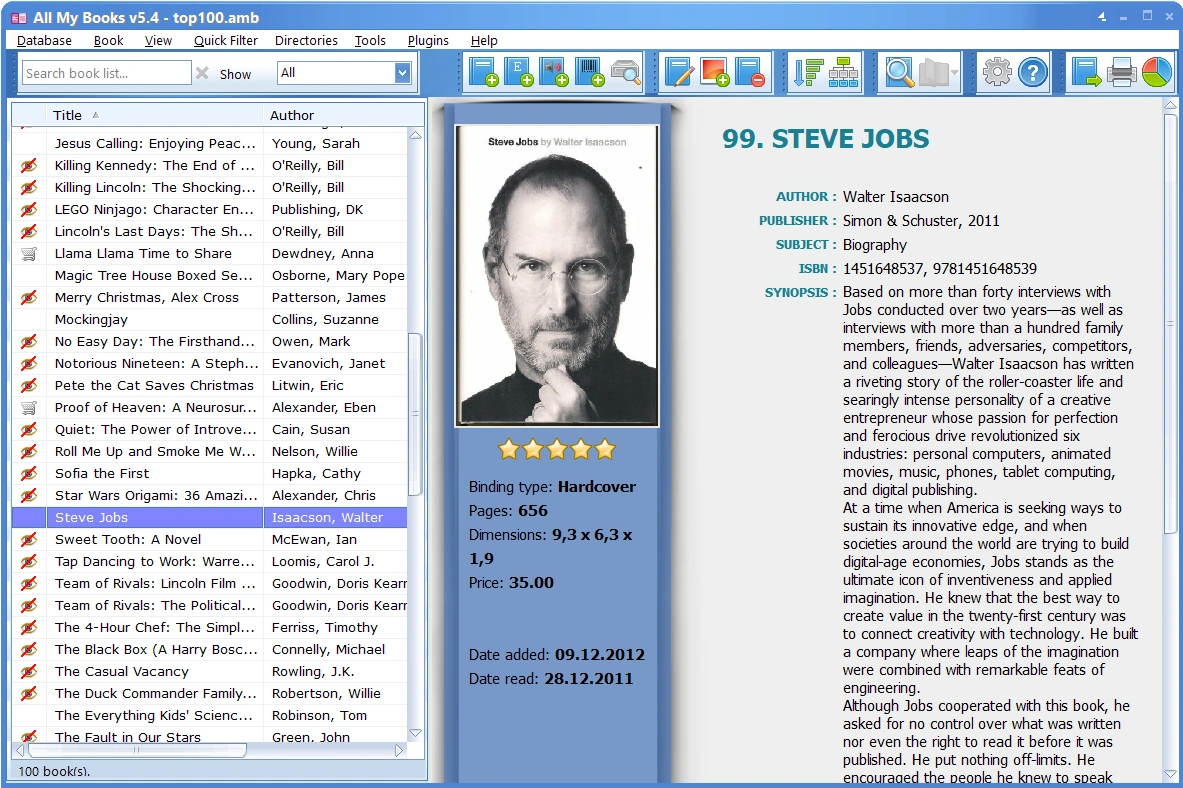
All My Books — screenshot:
What our customers say
Related guides
- Book Collector alternative
- Readerware alternative
- Alfa eBooks Manager alternative
- Booknizer alternative
- Cataloging software hub
Also switching movie catalogs?
If you used CATVids from the same vendor, see our All My Movies guide — same FNProgramvare story, same easy import.