Great for cookbooks
"I bought All My Books and so did a friend of mine. We are both in love with it. We are cookbook collectors and keep many "books" in our computers using Mastercook recipe software. We point All My Books at our various files, it then goes and looks online for a match...we add info if that's called for right there on the info grabbed window...and store...and the beauty of that is: the program allows us to also store a link back to the "book" and set it to open that book when we click on the little book icon that the program has."
b adams
Booknizer Alternative for Windows

Booknizer is the book organizer from the same family as Movienizer and Medianizer (Nizer / ManiacTools). It catalogs paper books, ebooks and audiobooks, downloads covers and author bios, and can copy files to an e-reader. Medianizer is the all-in-one sibling that also handles movies, music and games. The whole Nizer line is an abandoned project: no real development, no fixes for modern Windows, support is gone.
If you already keep a Booknizer or Medianizer book collection and want a catalog that is still actively developed, All My Books is the direct replacement. Import is built in: Database → Import collection from → Booknizer / Medianizer... The source program does not need to be installed — you only need the database file.
Booknizer vs All My Books at a glance
| Feature | Booknizer / Medianizer | All My Books |
|---|---|---|
| Active development & updates | Abandoned — no longer developed | Regular releases |
| Import existing Booknizer database | — | Database → Import collection from → Booknizer / Medianizer |
| Online book lookup (ISBN, title) | Built-in download scripts | Multiple online sources, cover art |
| Printed, ebook & audiobook catalog | Yes | All formats in one database |
| Loan / borrowed book tracking | Varies | Built-in loan manager |
| Virtual bookshelf view | Yes | Yes |
| Export to HTML / PDF / Excel | Reports / print | Multiple formats |
| Technical support | Inactive | Active support |
| Discount for switchers | — | 25% off for migrants |
Why switch from Booknizer to All My Books?
-
Direct Booknizer / Medianizer import
Already have a collection? All My Books reads the Booknizer (and Medianizer book) database, including titles, covers and notes. Use Database → Import collection from → Booknizer / Medianizer...
-
Regular updates and support
The same story as Movienizer vs All My Movies: Booknizer, Medianizer and Movienizer are abandoned. The installers may still run, but there are no updates and no one behind the product. All My Books gets regular Windows compatibility fixes, new lookup sources and an active help desk.
-
A catalog, not a file copier
Scan ebook folders, keep files where they are, open them in the reader you already use. Paper books sit in the same database with ISBN lookup and loan tracking.
How to import Booknizer into All My Books
Option A — direct import (recommended if you still have the Booknizer or Medianizer database file):
- Install and start All My Books.
- Open Database → Import collection from → Booknizer / Medianizer... and select the database file. Booknizer does not need to be installed.
- Wait until the conversion finishes, then spot-check covers, series and custom fields.
Option B — Excel / CSV (if you no longer have the database file):
- Export the collection from Booknizer to Excel or CSV if the program still offers that.
- In All My Books use Tools → Import from → Import from MS Excel... (or plain text / CSV).
- Map title, author and ISBN at minimum; then refresh details online for missing covers.
Need help with a large or unusual database? Contact our support — we assist Booknizer migrants regularly.
Prefer to look at the data yourself? The Booknizer .dbo file is plain SQLite; its schema and an open-source Python exporter to CSV/JSON with covers are in our media-catalog-formats repository on GitHub.
Also used Movienizer for films?
Same vendor, same situation. If you catalog movies as well, see Movienizer vs All My Movies — All My Movies imports Movienizer / Medianizer movie databases the same way.
Booknizer migrants special offer
Already paid for Booknizer or Medianizer? You do not need to pay full price for All My Books. See our special offer page for a discount when switching from another book organizer.
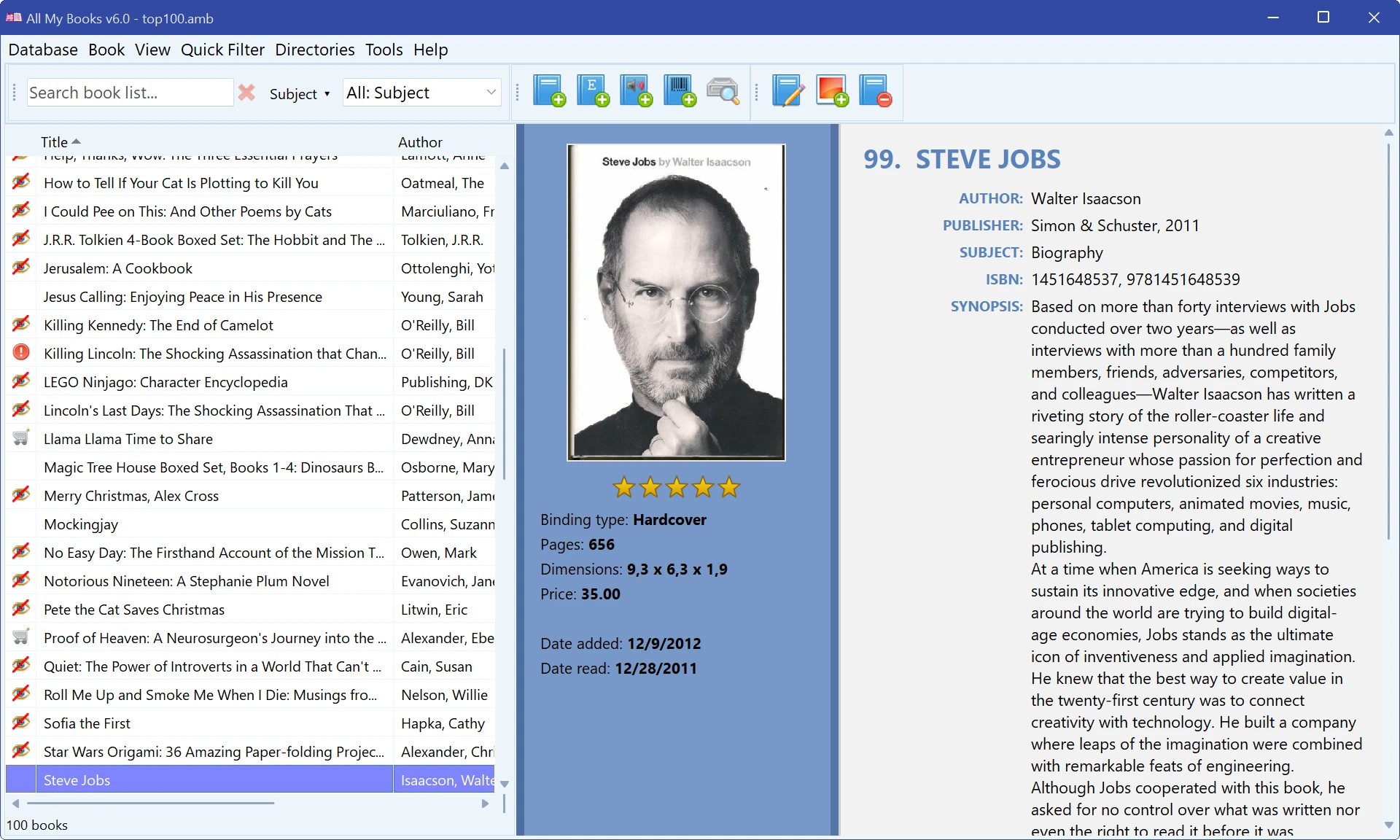
All My Books — screenshot:
What our customers say