Adding a movie automatically
The point of All My Movies is that you type as little as possible. Give it one piece of information — usually the title — and it fetches the rest from an online database.
Online databases
Five are built in:
| TheMovieDB.org | Multi-language and very wide. Data comes back in the interface language when the database has it. The default for most interface languages. In some countries the site is blocked: when it does not answer, the program says so, and with the Russian interface offers to repeat the search on KinoPoisk. |
| KinoPoisk.ru | Russian cinema database: Russian titles, Russian cast names and its own rating. The default for the Russian interface. |
| TheTVDB.com | Built for television: series, seasons and episode lists. |
| Moviemeter.nl | Dutch database with Dutch titles and ratings. |
| FilmWeb.pl | Polish database with Polish titles and ratings. |
Plug-ins add more — see Plug-ins. The default source, and which sources appear in the list at all, are set in ; unticking the ones you never use keeps the list short. Until you choose the default yourself, it follows the interface language.
Adding a movie
- Press Ins, click Add on the toolbar, or choose . An empty movie card opens.
- Type the title and press Enter. The search button next to the field does the same; right-clicking it lets you send the query to a different database without changing your default.
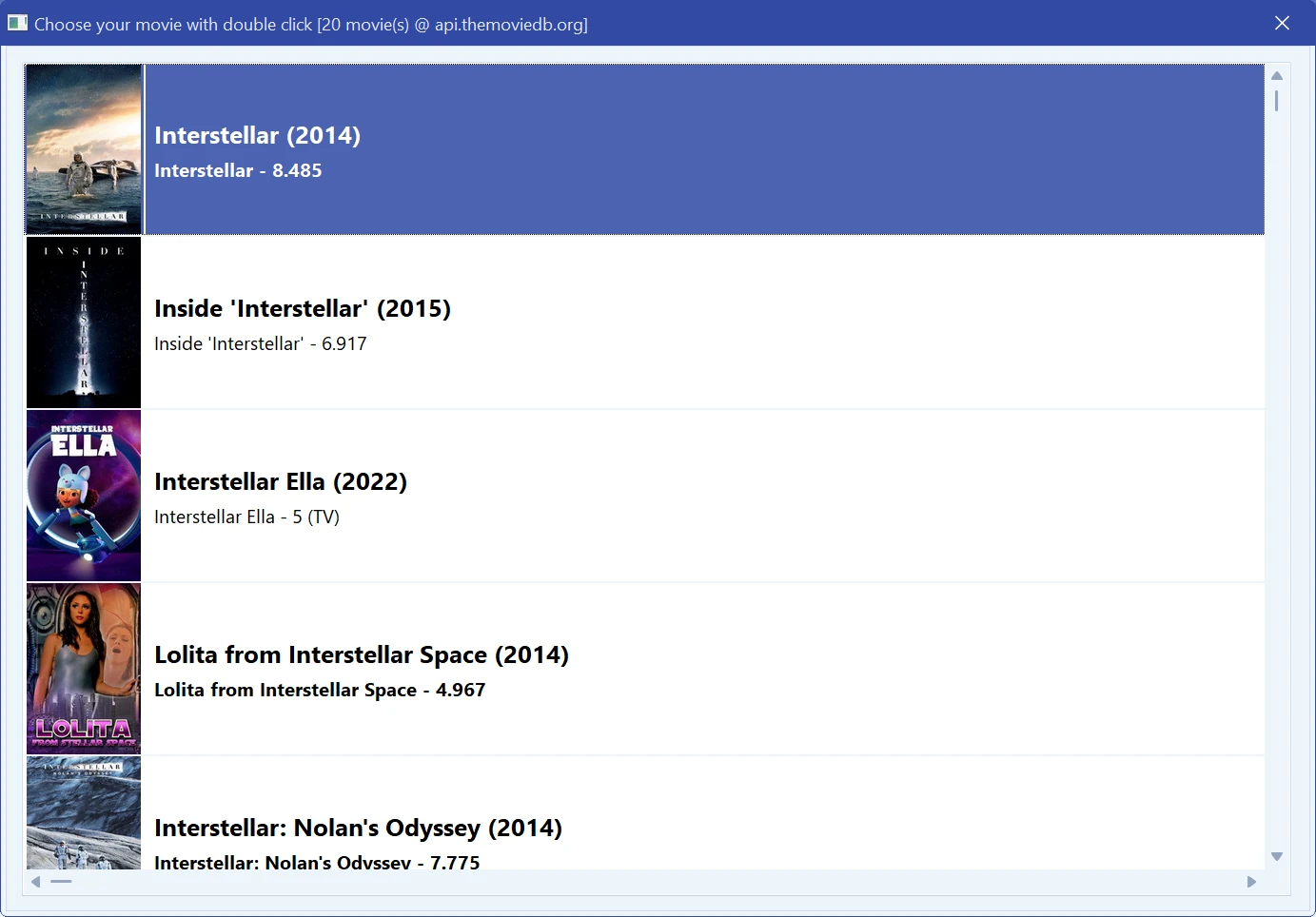
- If one film matches, the card fills in at once. If several do, a results window opens with posters, years and directors — double-click yours.
- Check what came back, add whatever the source did not know, and click OK. Next movie saves and opens a fresh card so you can keep going without touching the mouse.
What arrives depends on the source, but usually: title, original title, year, country, studio, genres, director, writers, cast with their roles, plot, rating, age rating and the poster. Screenshots are downloaded as well unless you turn that off. The address of the page the data came from is stored in the URL field, which is what makes batch updating possible later.
Already know the exact page? Paste its address where you would type the title and press Enter — the program parses that page directly instead of searching.
If the search finds nothing
- Use the original title. Local release titles often have nothing to do with the original, and most databases index the original.
- Try another source. Russian films are best found in KinoPoisk, Dutch ones in Moviemeter, Polish ones in FilmWeb, television in TheTVDB.
- Shorten the query. Drop the subtitle, the edition note and the year; “Alien” matches where “Alien (Director's Cut, 2 Disc Special Edition)” does not.
- Add the year if the title is generic and you get a page of unrelated results.
- Nothing online at all? Fill the card in by hand — every field is editable. See Editing a movie.
Get more details in makes the program open extra pages for each film — more complete cast and crew, at the cost of speed. Worth it for a careful collection, painful when adding hundreds of films at once.
Adding many movies at once
For a shelf of discs, barcodes are far faster than typing. For films that already exist as files, scan the drive. To fill in details for movies that are already in the collection, use Batch updating movie details.
Free to try. Catalog up to 100 movies at no cost, forever.