Finding a movie
Four tools, and they are meant to be used in this order: type a few letters, narrow by one value, use a ready-made filter, and only then open the search dialog.
Fast locate
The box above the movie list. Type and the list jumps to the first title that starts that way; press Enter and the list is filtered to every title that contains what you typed. Esc cancels the filter and brings the whole collection back; the status bar reminds you that a filter is active. Shift+Ctrl+F jumps to the box from anywhere.
The Show drop-down
Next to it. Pick a genre and only that genre is listed. Click the field name to the left of the drop-down to switch the field it works on: genre, year, country, media location, media type, media label or aspect ratio. Two clicks to “everything Japanese” or “everything on the shelf in the hall”.
Quick filters
The menu holds the questions you ask over and over: unseen, wishlist, lent out, overdue, series, duplicate titles, added in the last 7, 30 or 60 days, and your own personal marks. Show All clears them. Details in Quick filter menu.
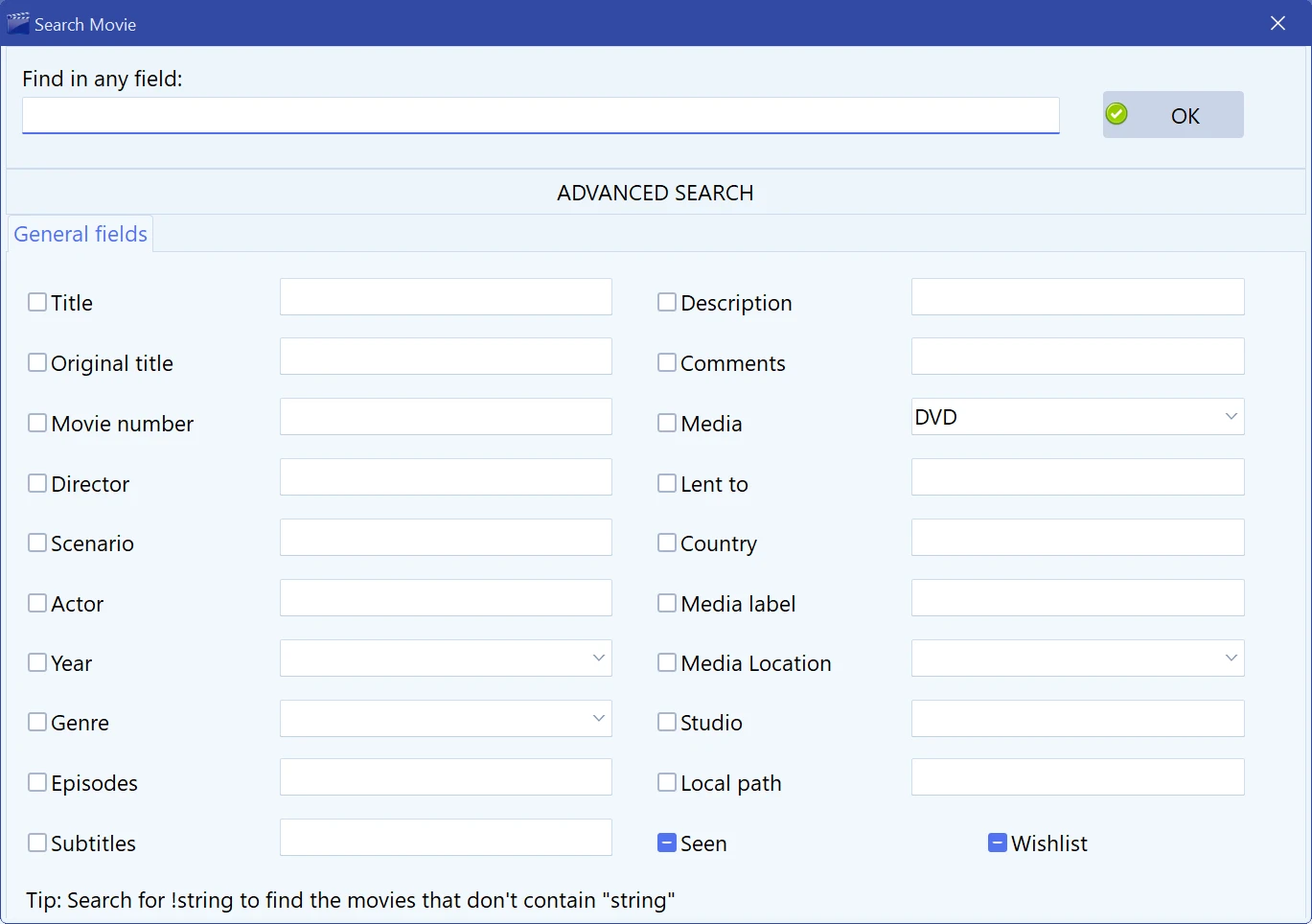
Search movie
F3, or . Two halves:
- Find in any field — one box, searched across everything. The right choice when you remember a phrase from the plot but not the title.
- Advanced search — a separate box for each field: title, original title, director, scenario, actor, year, description, comments, country, studio, media, media label, media location, movie number, subtitles, local path, episodes, genre, wishlist, seen, lent to, and your own custom fields on a second tab. Filling in several boxes narrows the result — all conditions must match.
Put an exclamation mark in front of the text to invert the
condition: !comedy finds the movies that do not contain
“comedy” in that field.
Saving a search
Tick Save as Advanced Filter in the search dialog and give the search a name. It joins and can be run in one click from then on. Filters are stored per collection and can be renamed and deleted from the same menu.
Useful ones: “unwatched Blu-rays”, “bought this year”, “no local path”, “wishlist, cheap”.
Finding gaps
Three hidden commands list the cards that are missing something, which is how you clean up an imported collection: Ctrl+F9 shows movies with no cover, Ctrl+F10 those with no URL, and Ctrl+F11 those with no local path.
Browsing instead of searching
Grouping turns the list into a tree — by director, year, genre, country, studio, media location, quality and a dozen other fields — which answers “what do I have by this director?” better than any search. See View menu.
Free to try. Catalog up to 100 movies at no cost, forever.